Two thumbs, the whole war: a mobile playability pass
A pilot put it kindly: “great and ambitious, but the flight handling could be easier to control, and the UI/UX on mobile could be clearer.” Both fair. We spent a phone in landscape with the game and came back with a fix for the feel and a declutter for the screen.
The plane was fighting your thumb
Warbirds flies a real plane with a real stall, and on touch your thumb is the stick. The trouble was that a full thumb-flick meant full elevator: at combat speed you’d yank the nose up, snap into a stall, and spin in — on a phone, at night, into the scenery. New pilots weren’t flying badly; the stick was letting them over-pull.
You should be able to hold the stick all the way over and trust the plane to give you its best turn, not throw you out of the sky.
Now it does. Pull the stick to the stop and the plane commands “turn as hard as I safely can” — it rides its hardest sustained turn right up to the edge of the stall instead of departing into one. Pushing is untouched, so you can always unload and dive away. And the expert door stays open: on a keyboard, pitch still commands the full stall, so you can wring the airframe out on purpose when you know what you’re doing. The plane is exactly as honest as it ever was — it just stopped letting your thumb slam the whole elevator down at once.
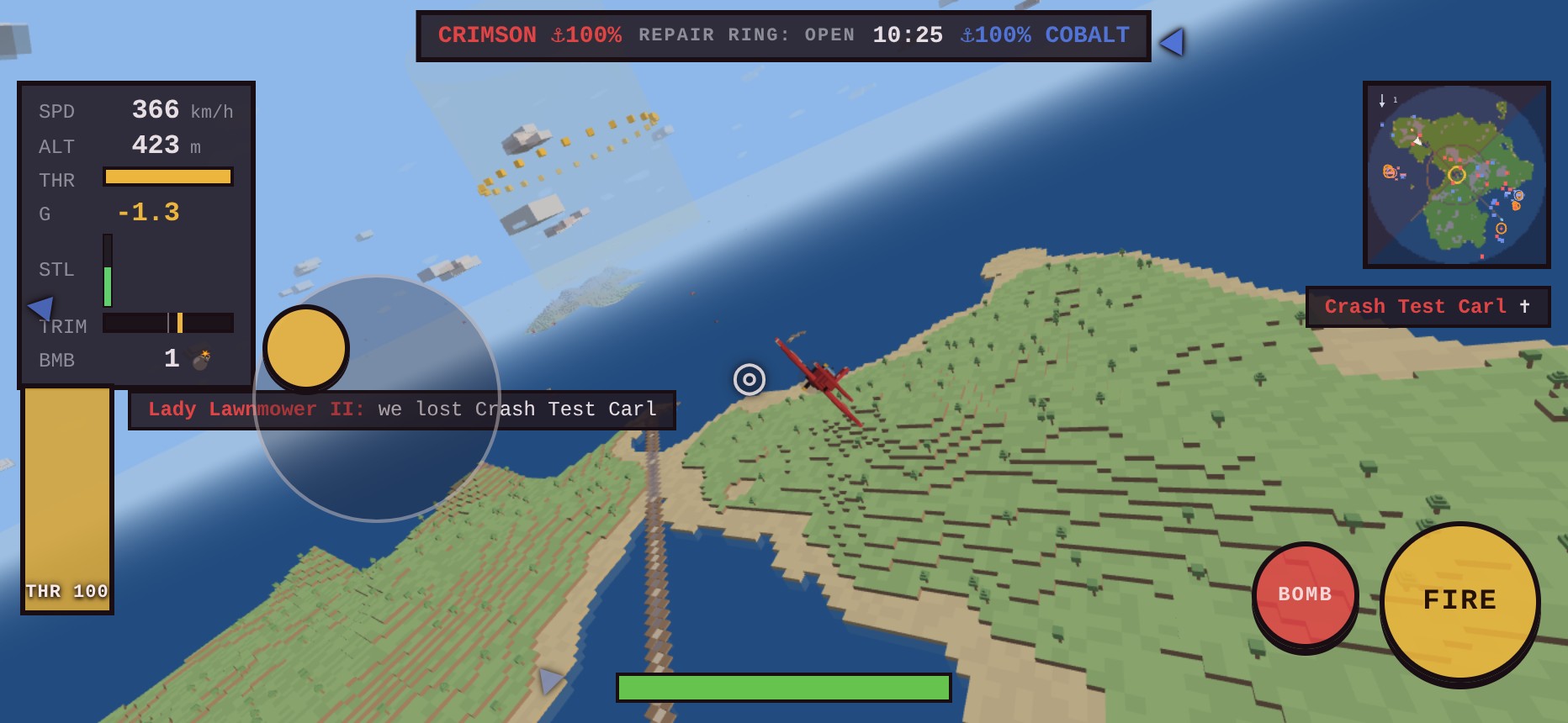
The stick also got a wider fine-control band — more travel, a gentler curve, and a small deadzone so a resting thumb flies straight. The throttle gained a live THR % readout with full and idle detents you can feel for, and a PULL UP warning now flashes before you fly into a ridge in the dark.
The screen was shouting over itself
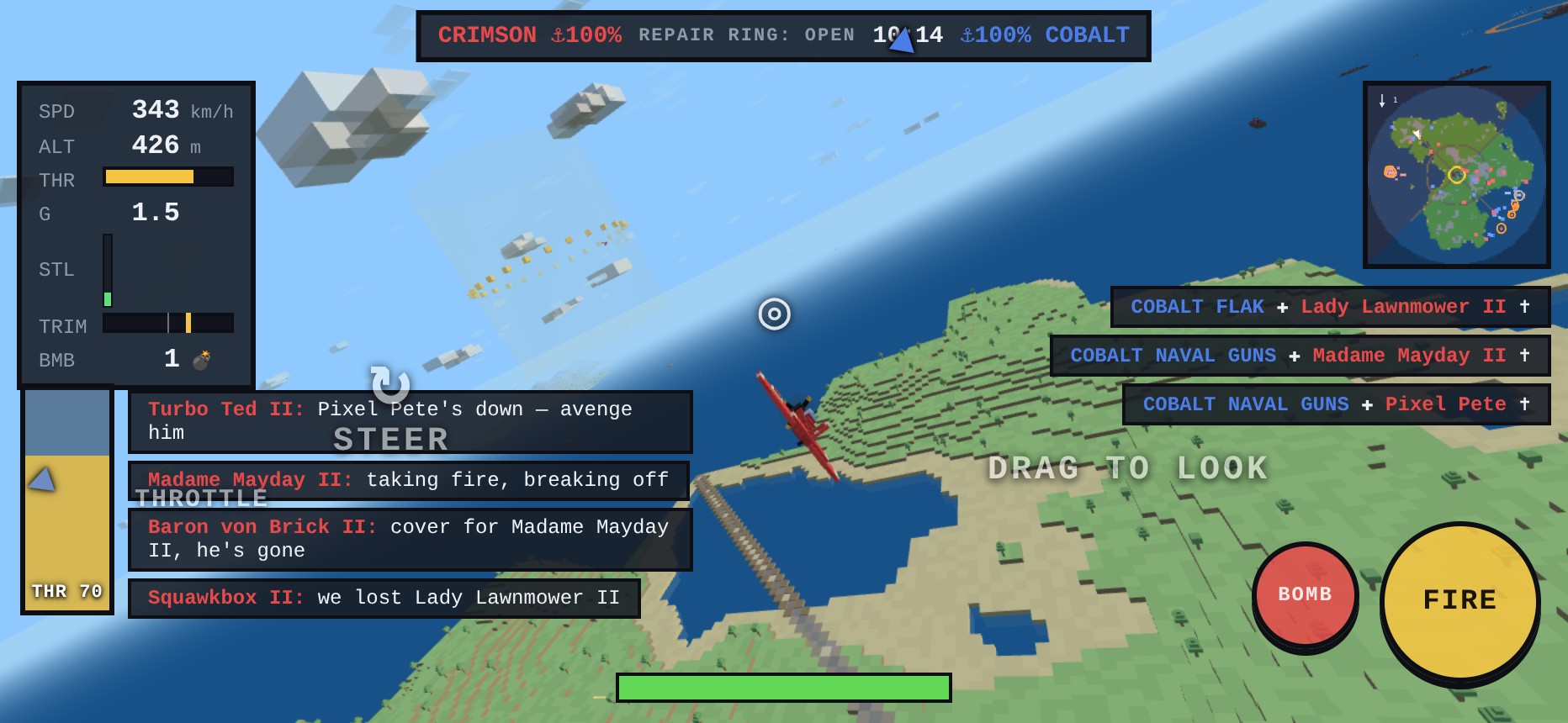
On a phone the HUD used to elbow itself: the autopilot pill sat on the minimap, the throttle label collided with the gauges, and the kill feed marched right through the band of sky where enemies appear. Worse, when you died the scoreboard and every gauge kept painting over the respawn card. The deck is cleared now: the AP button sits below the minimap, the kill feed is a tidy three-line column tucked under it, and while the join or respawn card is up the flight HUD behind it simply gets out of the way.
Seeing the fight you can’t see
A phone’s view is narrow, and the moment a bandit slides off the edge he’s gone. So enemies in range that leave the frame now get a team-coloured arrow that hugs the screen edge and points straight at them, fading as they get farther off. It’s the single biggest awareness win on a small screen — you always know which way to turn to bring the fight back.
And because the best time to teach the controls is the first second you hold them, a first-flight coach now labels each zone — STEER, DRAG TO LOOK, THROTTLE — and each label fades the instant you use that control. Have a rough start and lose two planes early, and Flight School taps you on the shoulder once.
The plane you’re flying is exactly the plane it always was — it just stopped fighting your thumb, and the screen stopped fighting the plane.